DIRECT INVESTMENT
Direct company investments
Review investments made directly with company capital, including each company’s investment and exit records.

Integrated investment management
Direct company investments, funds you manage and external fund commitments.
Follow your company’s investment structure through to the companies held by its funds.
Built for each role. Connected as one.
Company investment view
Connect the companies you invest in directly, the funds you manage and the external funds you commit to. View investments through the relationships between companies, funds and investing entities.
DIRECT INVESTMENT
Review investments made directly with company capital, including each company’s investment and exit records.
FUND MANAGEMENT
Review the funds your company manages, including parent funds, project funds and secondary funds.
FUND COMMITMENT
Review commitments to funds managed by other firms alongside investment information received from their managers.
View direct investments, managed funds and external fund commitments from your company’s perspective.
Investment structure
Distinguish who invested and through which route, even when the destination company is the same. View direct company investments, parent-fund commitments to underlying funds and their investments in companies.
Invests directly in the company
Company AThe managed fund invests in the company
Company AThe committed fund invests in the company
Company AA company’s commitment to a fund and that fund’s investment in a company are separate records. View them by investing entity and route.
| Investor | Investment target | Investment type |
|---|---|---|
| Our company | Company A | Direct investment |
| Parent Fund 1 | Underlying Fund A | Fund commitment |
| Underlying Fund A | Company A | Company investment |
| Parent Fund 2 | Underlying Fund B | Fund commitment |
| Underlying Fund B | Company B | Company investment |
Commitments & fund information
Review a parent fund’s commitments, payments and distributions with its underlying funds. Distinguish your company’s commitment records from fund information received from the manager.
RECORDS WE HOLD
How much have we contributed to Fund B?
INFORMATION FROM THE MANAGER
How are Fund B’s investments performing?
Check the date the information describes.
Check when the manager’s information was received.
Funds viewed on the same day may have information from different dates. Check the dates provided on screen.
Data sources & report submission
View records entered by your company alongside information from fund managers, including data sent through GPworks and report files submitted through the non-member reporting system.
OUR DATA
Records registered and managed by your company.
GPworks
Fund data sent by the manager through GPworks.
NON-MEMBER REPORTING
Report files provided by the manager through the non-member reporting system.
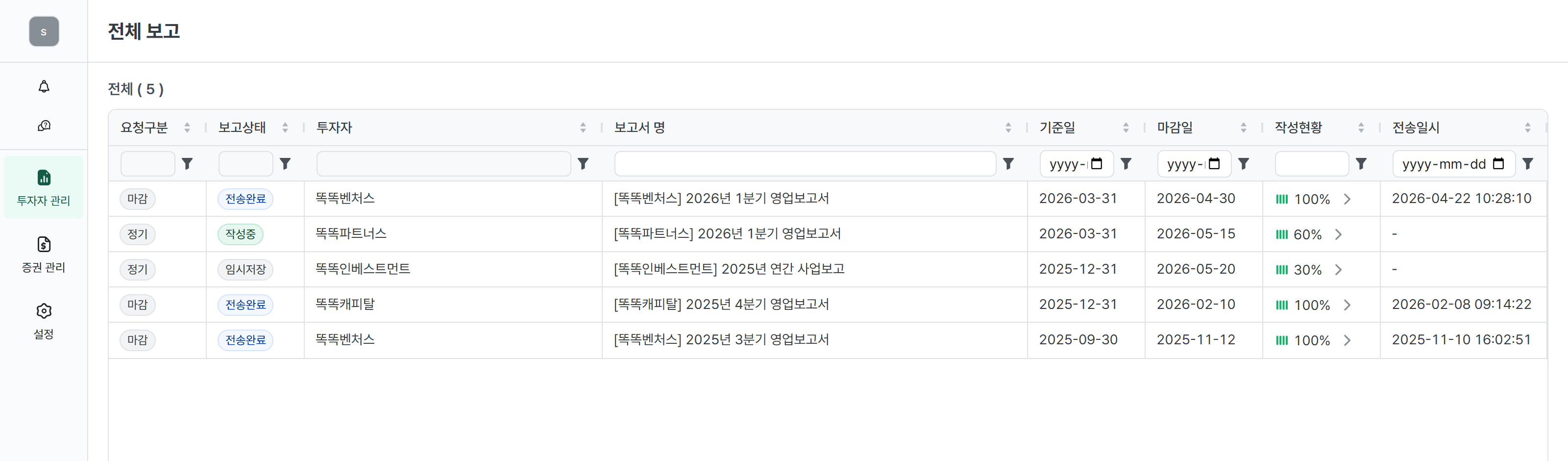
Request business reports by email from managers who do not use GPworks. AI analyzes the received reports and extracts and registers the information needed.
Select the original report file in the non-member reporting system and submit it to the LP who requested it.
Prepare the business report file written by the fund manager.
Select the original report file in the non-member reporting system.
Submit to the requesting LP and check the result.
Investment analysis
View direct and indirect investments across your own account and managed funds. Review returns, investment-obligation fulfillment and the portfolio composition based on your ownership share.
PERFORMANCE & OBLIGATIONS
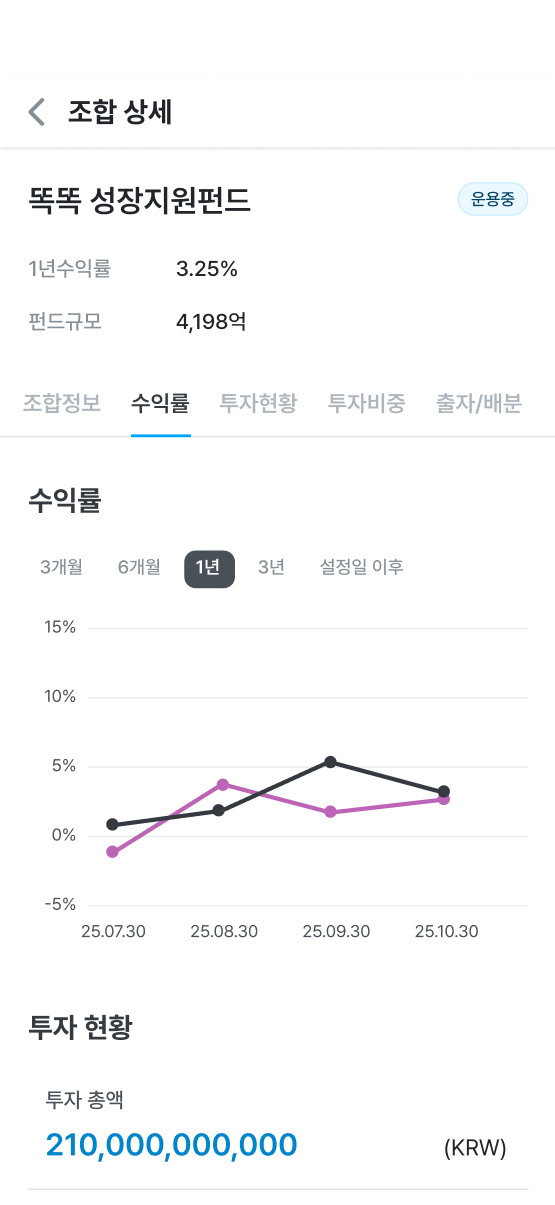
View direct investments and indirect investments through fund commitments together. Review each fund’s returns and fulfillment of its investment obligations.
OWNERSHIP PERSPECTIVE
Recalculate data based on your ownership share to review the portfolio composition and investment allocation from your perspective.
TRENDS & DASHBOARDS
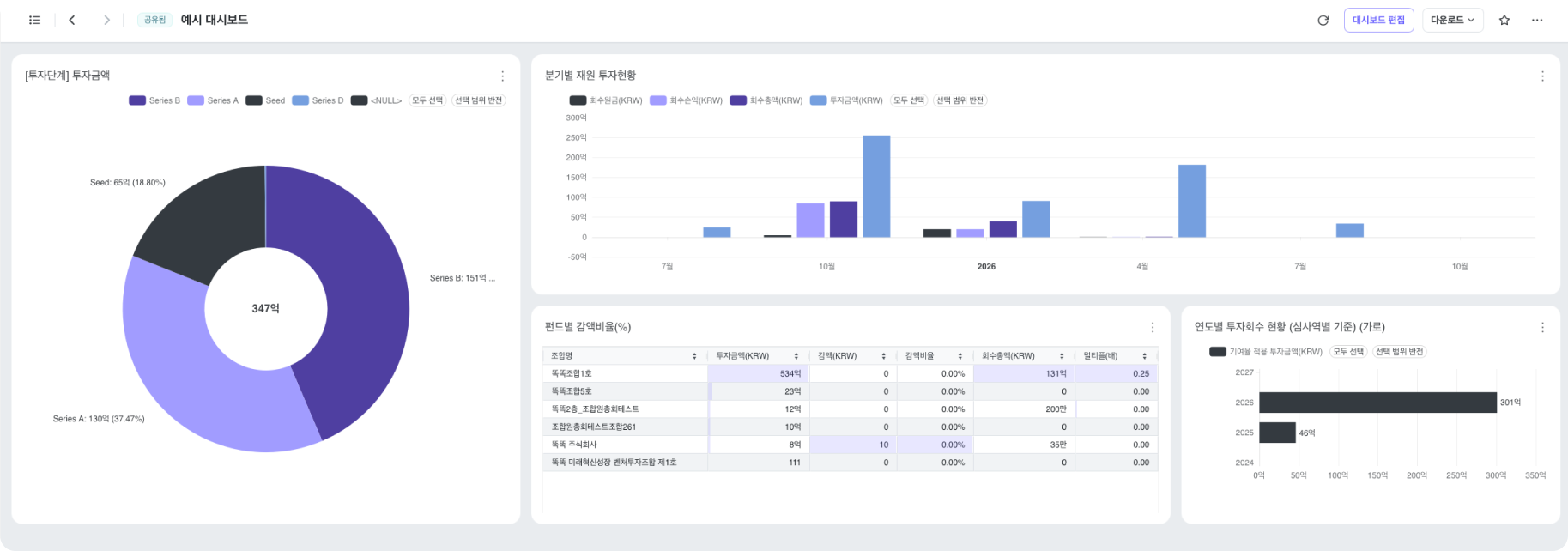
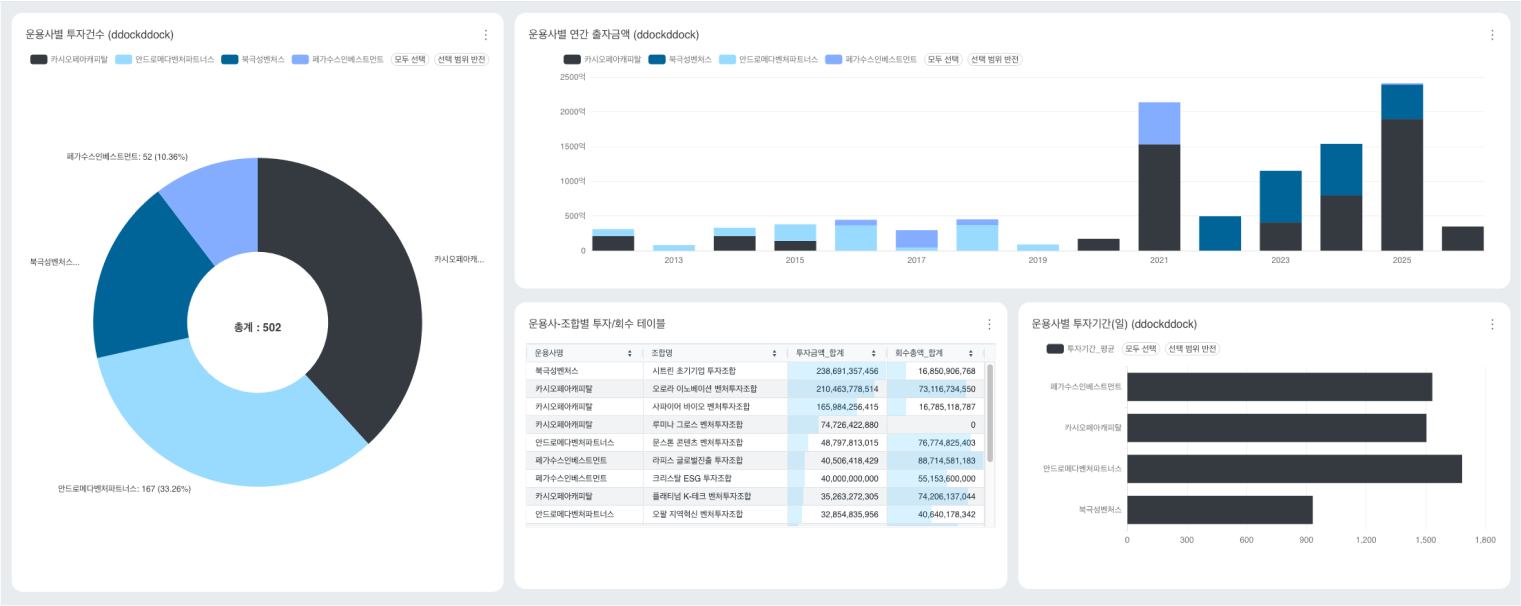
Track portfolio valuations over time. Aggregate recorded investment and exit data to build the charts and dashboards you need.
REPORTS & ALERTS
Schedule email delivery of BI dashboards and charts. Receive alerts for redemption and conversion dates and capital impairment.
Connected investment work
Respond to requests from portfolio companies and fund managers, and review commitment and investment histories. GPworks, LPworks and STworks connect the work of each participant.
DECISIONS
Respond to portfolio-company shareholder meetings and meetings of funds you invest in, and track the response history. Upload a scanned fund-meeting response without sending a separate email.
BUSINESS REPORTS
Create a report template with the fields you need and request it from portfolio companies. Use submitted data to prepare reports in the Korea Fund of Funds format.
COMMITMENT RECORDS
Review managers’ capital calls, past contributions and distributions, and cumulative amounts. After contributing, request a certificate and track its progress.
FUND & PORTFOLIO INFORMATION
Review fund investment information and financial statements provided by the manager. View ad hoc reports, portfolio-company business updates, investment rationales, investment and exit histories, and changes in investment terms.
DATA CONNECTIONS
Connect ledgers from managers using GPworks. Validate VICS data and Excel files for migration into IMworks.
THE IMWORKS FAMILY
Explore the IMworks products for fund managers, investors, and startups.
Investment management for fund managers, with connected reports, automation, and AI review.
Manage institutional and corporate LP commitments, portfolios, cash flow, and performance.
Review investments, respond to fund meetings, and download investment certificates.
Connect startup reporting, shareholder meetings, and resolutions with your investors.
YOUR NEXT WAY TO WORK
Talk to us about the right product and onboarding for your organization.